.svg?width=185&quality=80&auto=webp&format=auto&cache=true&immutable=true&cache-control=max-age%3D31536000 "Home")


.svg?width=13&quality=80&auto=webp&format=auto&cache=true&immutable=true&cache-control=max-age%3D31536000 "Top Navigation - Sign in - Icon")


Many organizations are looking to better control how workers (both in the office and remote) are interacting with their SaaS applications and the data within them. Since these applications are internet facing and not fully controlled by the organization, securing access for employees, third parties, contractors, and even users with BYOD devices, presents unique challenges.
Here are the top six ways that Sophos Protected Browser helps improve security and access to SaaS applications:
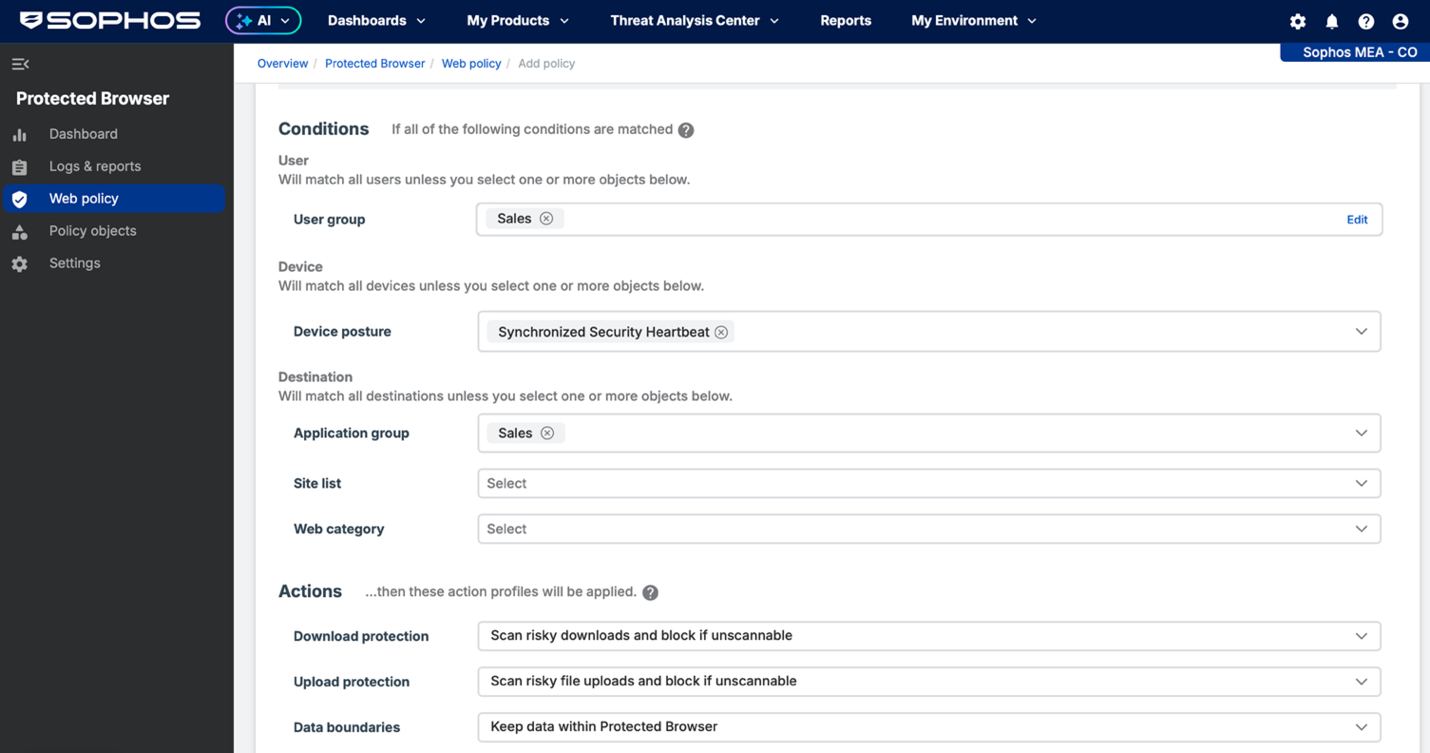
- Policy Based Access: Sophos Protected Browser enables easy user and app-based policy setup. For example: enable only the sales team to access Salesforce, the support team to access Zendesk, and the finance and logistics teams to access NetSuite.
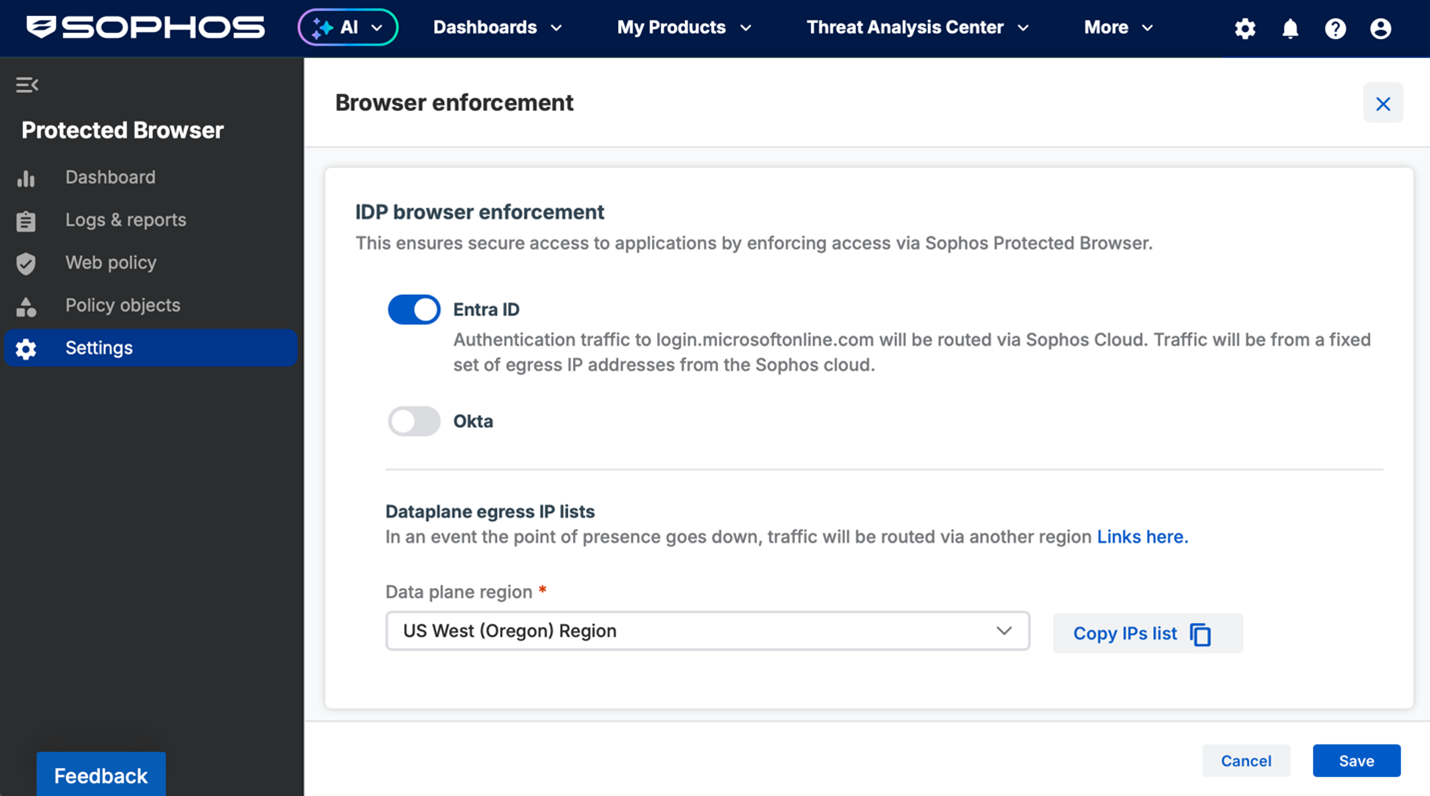
- Multi-Factor Authentication: You can prevent access to your important SaaS applications and data via stolen or brute forced credentials by enforcing the use of multi-factor authentication for access through your identity provider (Microsoft Entra or Okta).
- Browser Security: You can use conditional access with your identity provider and SaaS application to only allow connections to your important SaaS applications from the hardened and more secure Sophos Protected Browser. Anyone without Sophos Protected Browser will be unable to access your applications.
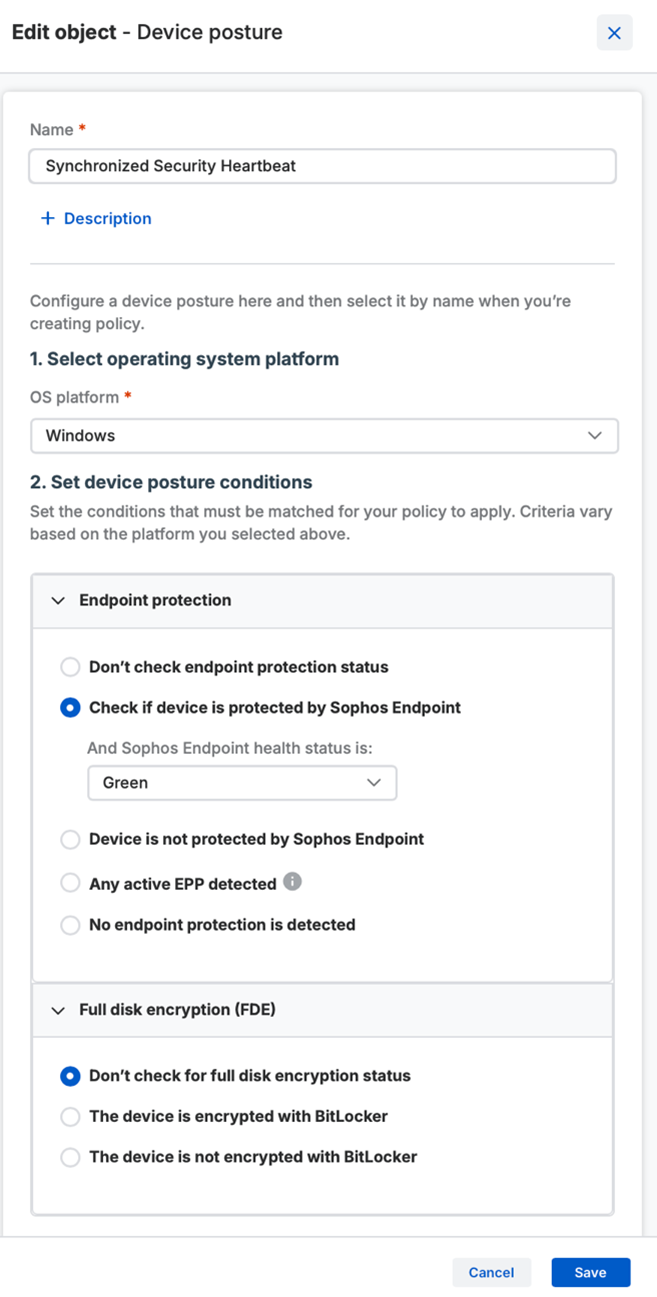
- Device Posture Assessment: You can easily add device posture assessment criteria to application access policies to ensure a device is compliant and healthy before connecting to your applications. If the device is unmanaged – such as a contractor, guest, or BYOD devices – you can require the device be protected either with Sophos or any other recognized third-party Endpoint protection. If the device is managed, you can require the device have Sophos Endpoint protection enabled or additionally take advantage of Synchronized Security to ensure the device is not compromised and has a green Heartbeat status. Full disk encryption from a variety of vendors can also be a requirement for access.
- Data Boundary Controls: With data boundary controls you can prevent potentially expensive data mistakes from happening. Use policy to define data boundaries around groups of apps, websites or an individual destination to control how app data can be exchanged and where it gets stopped. You can control copying and pasting between apps and outside of the browser, along with screen sharing, screenshots, file saving, download and uploads. And you can adjust these controls on an app or user/group basis to limit contractors or guests more than employees, some teams more than others, some apps more than others, or any combination thereof.
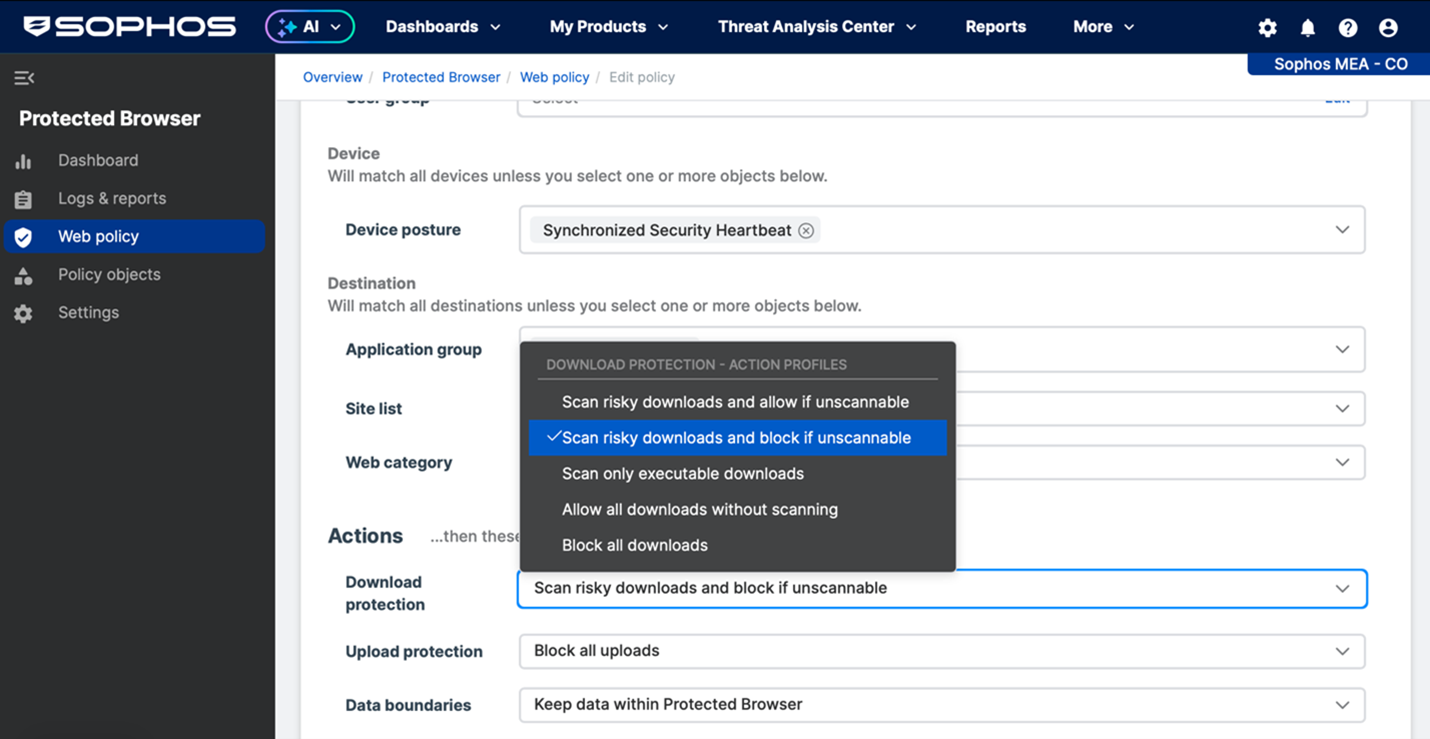
Works Everywhere For Everyone: The best part about all of this, is that the added security you get for your applications and data does not get in the way of your workers… no matter where they are – in the office, at home, in a public space – or who they are – staff, contractors or guests – they get a seamless and transparent user experience governed by the policies you setup.
Contractors or guests are a special group as they are going to be interacting with your networked applications on unmanaged or BYOD devices – but that’s not a problem for Sophos Workspace Protection. While you can’t manage their device directly, you can ensure they can only interact with your applications using Sophos Protected Browser and that appropriate endpoint protection (via device posture above) is active as a requirement for access. And as we just covered, you can place boundaries on how they interact with your data – keeping it exclusively within the app if desired so it can’t be shared or downloaded for personal use later.
Learn More:
- Watch the various Sophos TechVids How-To videos – particularly on how to Setup Sophos Protected Browser
- Consult the online documentation including:
Be sure to check out our other Sophos Workspace Protection articles to help make the most of this exciting new offering.
If you’re new to Sophos Workspace Protection, visit the website to learn more about all the great capabilities and benefits it provides for securing your workers, apps, and data.